
Website speed is one of the most important factors in creating a successful website. When visitors click on a website, they expect the page to load quickly. If it takes too long, they may leave before seeing the content. This can affect not only user experience but also your website’s performance in search engines.
In today’s competitive digital environment, having useful content alone is not enough. A website should also be fast, responsive, mobile-friendly, and easy to navigate. Search engines such as Google consider page experience and performance signals when evaluating websites, making website speed an important part of an effective SEO strategy.
In this guide, we will explore how website speed affects SEO, why loading time matters, common causes of slow websites, and practical ways to improve website performance.
What Is Website Speed?
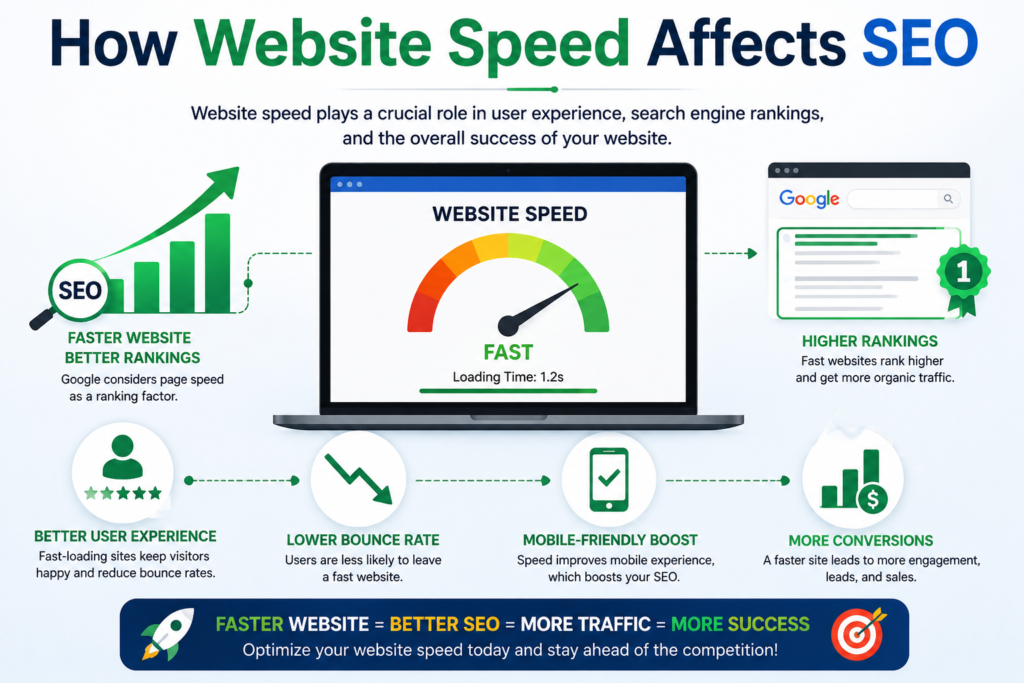
Website speed refers to how quickly a web page loads and becomes usable for visitors. It includes everything from the initial server response to the time required for text, images, buttons, and other elements to become available.
For example, imagine two websites offering similar services. Website A loads almost immediately, while Website B takes several seconds to display its main content. Most users are more likely to stay on Website A because it provides a smoother experience.
Website speed can be influenced by many factors, including hosting quality, image sizes, website code, plugins, scripts, caching, and server performance.
How Website Speed Affects SEO?
SEO is about helping search engines understand your website and providing users with a useful experience. A slow website can create problems in both areas.
Google wants to provide users with search results that lead to helpful and accessible web pages. If a website is difficult to use because pages take too long to load, visitors may have a poor experience.
Website speed can influence SEO in several ways:
- It improves user experience.
- It can reduce visitors leaving quickly.
- It supports better mobile browsing.
- It can help search engines crawl your website efficiently.
- It contributes to a better overall page experience.
- It can improve conversion opportunities.
Speed is therefore not something website owners should treat as a purely technical issue. It is closely connected to SEO, user satisfaction, and business performance.
Website Speed and User Experience
One of the strongest reasons to improve website speed is user experience.
People have limited patience when browsing online. If a page remains blank or loads slowly, visitors may assume the website is broken or unreliable. Instead of waiting, they may return to the search results and choose another website.
A fast website creates a smoother journey. Visitors can quickly read an article, explore products, check services, or complete an enquiry form.
For businesses, this can be especially important. A few extra seconds of waiting can make the difference between a visitor becoming a customer or leaving the website.
How Slow Websites Can Increase Abandonment
When users encounter slow pages, they may abandon the website before completing their intended action.
For example, an online store may attract a visitor through Google search. The visitor clicks on a product page, but the images and product information take too long to appear. The visitor may leave and purchase the product from another website.
The same problem can occur with service websites. If a potential customer visits a digital marketing agency’s website and the contact page loads slowly, they may decide not to submit an enquiry.
This is why website speed should be viewed as part of the complete customer journey.
Website Speed and Mobile SEO
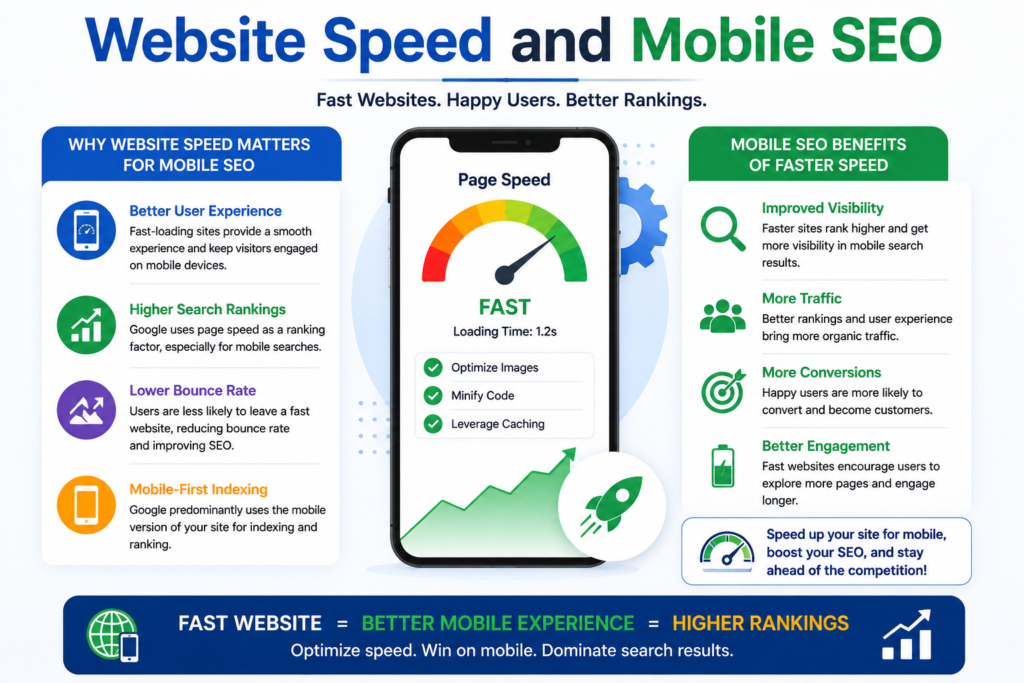
Mobile optimization is essential because a large number of people access websites through smartphones.
Mobile users may browse websites using different network conditions. Someone may have a fast Wi-Fi connection, while another visitor may be using a slower mobile network.
A website that works well on a powerful desktop computer may still perform poorly on a smartphone.
A fast mobile website should:
- Load important content quickly.
- Use properly optimized images.
- Avoid unnecessary scripts.
- Have a responsive layout.
- Make buttons and links easy to use.
- Minimize heavy page elements.
Improving mobile speed can make your website more accessible and provide visitors with a better experience across different devices.
Core Web Vitals and Website Performance
Google introduced Core Web Vitals to help measure important aspects of page experience. These metrics focus on loading performance, responsiveness, and visual stability.
The major Core Web Vitals include:
Largest Contentful Paint (LCP)
LCP measures how quickly the largest main content element becomes visible. This could be a large heading, image, or other major content section.
A good LCP indicates that visitors can see the main content without waiting too long.
Interaction to Next Paint (INP)
INP focuses on how quickly a page responds to user interactions, such as clicks, taps, and keyboard actions.
A responsive website should react smoothly when users interact with it.
Cumulative Layout Shift (CLS)
CLS measures unexpected movement of content while a page loads.
For example, imagine clicking a button just as an image loads and pushes the button downward. This can create a frustrating experience.
Keeping the layout stable helps visitors interact with the page confidently.
Common Causes of Slow Website Speed
Many different issues can make a website slow. Identifying the problem is the first step toward improving performance.
1. Large Images
Large, uncompressed images can consume significant amounts of data and take longer to load.
Images should be resized according to their actual display dimensions and compressed without unnecessarily reducing quality.
Modern image formats can also help reduce file sizes.
2. Too Many Plugins
Websites built with content management systems such as WordPress often use plugins to add features.
However, installing too many plugins can increase the number of scripts and resources that a page needs to load.
Use only the plugins that are genuinely necessary and regularly remove outdated or unused ones.
3. Poor Web Hosting
Your hosting provider plays an important role in website performance.
Low-quality hosting can result in slow server response times, especially when traffic increases.
Choosing reliable hosting with suitable resources can help your website handle visitors more efficiently.
4. Unoptimized Code
Extra CSS, JavaScript, and HTML can increase page size and loading time.
Removing unnecessary code and minimizing files can make a website more efficient.
5. Too Many Third-Party Scripts
Analytics tools, advertising scripts, chat widgets, social media integrations, and other third-party services can add additional loading work.
Although these tools can be useful, website owners should avoid adding unnecessary scripts.
How to Improve Website Speed
Improving website speed does not always require completely rebuilding a website. Several practical steps can make a significant difference.
Optimize Images
Compress images before uploading them. Avoid using extremely large files when smaller versions can provide the same visual quality.
Use suitable image formats and provide responsive image sizes where possible.
Use Browser Caching
Caching allows certain website resources to be stored temporarily on a user’s device.
When visitors return to your website, their browser may not need to download every resource again. This can make repeat visits faster.
Minify CSS and JavaScript
Minification removes unnecessary characters from code, such as extra spaces and comments.
Smaller files can reduce the amount of data that browsers need to download.
Enable Compression
Compression can reduce the size of resources transferred between your server and visitors’ browsers.
This can help pages load faster, particularly for users with slower connections.
Use a Content Delivery Network
A Content Delivery Network, commonly called a CDN, stores website resources on servers in different locations.
When someone visits your website, resources can be delivered from a location closer to them. This can improve loading performance for visitors in different geographical areas.
Reduce Redirects
Redirects send visitors from one URL to another. While redirects are sometimes necessary, excessive redirect chains can add unnecessary delays.
Keep your URL structure clean and avoid unnecessary redirects.
Choose a Lightweight Website Design
A visually impressive website does not need to be overloaded with animations, videos, sliders, and other heavy elements.
A clean design can often provide a better balance between appearance and performance.
How to Check Your Website Speed
Website owners can use several performance-testing tools to identify speed problems.
Google PageSpeed Insights is one popular option. It provides performance information for both mobile and desktop experiences and highlights potential areas for improvement.
Other tools can also provide information about loading times, server response, image optimization, and other technical issues.
Testing should be performed regularly rather than only once. Website performance can change whenever you install a plugin, upload new media, change hosting, or add new features.
Website Speed and SEO: What Should You Focus On?
Improving speed does not mean trying to make every page load in exactly the same amount of time.
Instead, focus on creating a fast and useful experience for real visitors.
A good strategy includes:
- Test your website regularly.
- Identify the biggest performance problems.
- Optimize large images.
- Remove unnecessary plugins and scripts.
- Improve server performance.
- Optimize mobile pages.
- Monitor Core Web Vitals.
- Retest after making changes.
SEO is a long-term process, so website performance should also be treated as an ongoing activity.
Does Website Speed Guarantee Higher Google Rankings?
Website speed is important, but improving speed alone does not guarantee that a page will reach the top of Google.
Search rankings depend on many factors, including content quality, relevance, search intent, backlinks, technical SEO, website structure, authority, and overall user experience.
A fast website with poor content will not automatically outperform a slower website with highly relevant and valuable information.
The goal should be to combine high-quality content with strong technical performance.
The Connection Between Speed, SEO, and Conversions
Website speed is not only about search rankings. It can also influence business results.
Suppose a website receives 10,000 monthly visitors. If the website is slow and many visitors leave before exploring the content, the business may lose potential leads or sales.
A faster website can help visitors move more easily from one stage to another:
Search → Website Visit → Content → Engagement → Enquiry → Conversion
When each step works smoothly, visitors have fewer reasons to leave.
For this reason, website performance should be considered an important part of both SEO and digital marketing.
Final Thoughts
Website speed has become an important part of building a successful online presence. A fast website provides visitors with a smoother experience, supports mobile usability, helps reduce unnecessary abandonment, and contributes to a strong overall SEO strategy.
However, speed should not be considered separately from other SEO activities. The best approach is to create a website that combines useful content, relevant keywords, technical optimization, mobile responsiveness, easy navigation, and strong performance.
Whether you run a business website, blog, online store, or portfolio, improving loading performance is a worthwhile investment.
In digital marketing, getting visitors to your website is only the beginning. Keeping them engaged is equally important.A fast, user-friendly website gives your visitors a better reason to stay, explore, and take action.
Frequently Asked Questions
1. Does website speed affect SEO?
Yes. Website performance contributes to page experience and can influence how effectively users interact with your website. It is one part of a broader SEO strategy.
2. What is a good website loading speed?
There is no single loading-time number that guarantees good SEO. Instead, focus on providing a fast experience and achieving strong performance across important metrics such as Core Web Vitals.
3. How can I make my website faster?
Optimize images, reduce unnecessary scripts, use caching, improve hosting, optimize code, use a CDN, and remove unnecessary plugins.
4. Does website speed matter for mobile SEO?
Yes. Mobile visitors can experience slow loading more noticeably, particularly on slower connections. Optimizing mobile performance is an important part of modern website optimization.
5. Can a fast website rank number one on Google?
Not necessarily. Speed is only one part of SEO. High-quality content, relevance, authority, technical SEO, links, and user experience also contribute to search performance.
6. How often should I test my website speed?
Test your website regularly, especially after major design changes, plugin installations, hosting changes, or new features. Regular monitoring helps identify performance issues before they become serious.